Perfect Sector
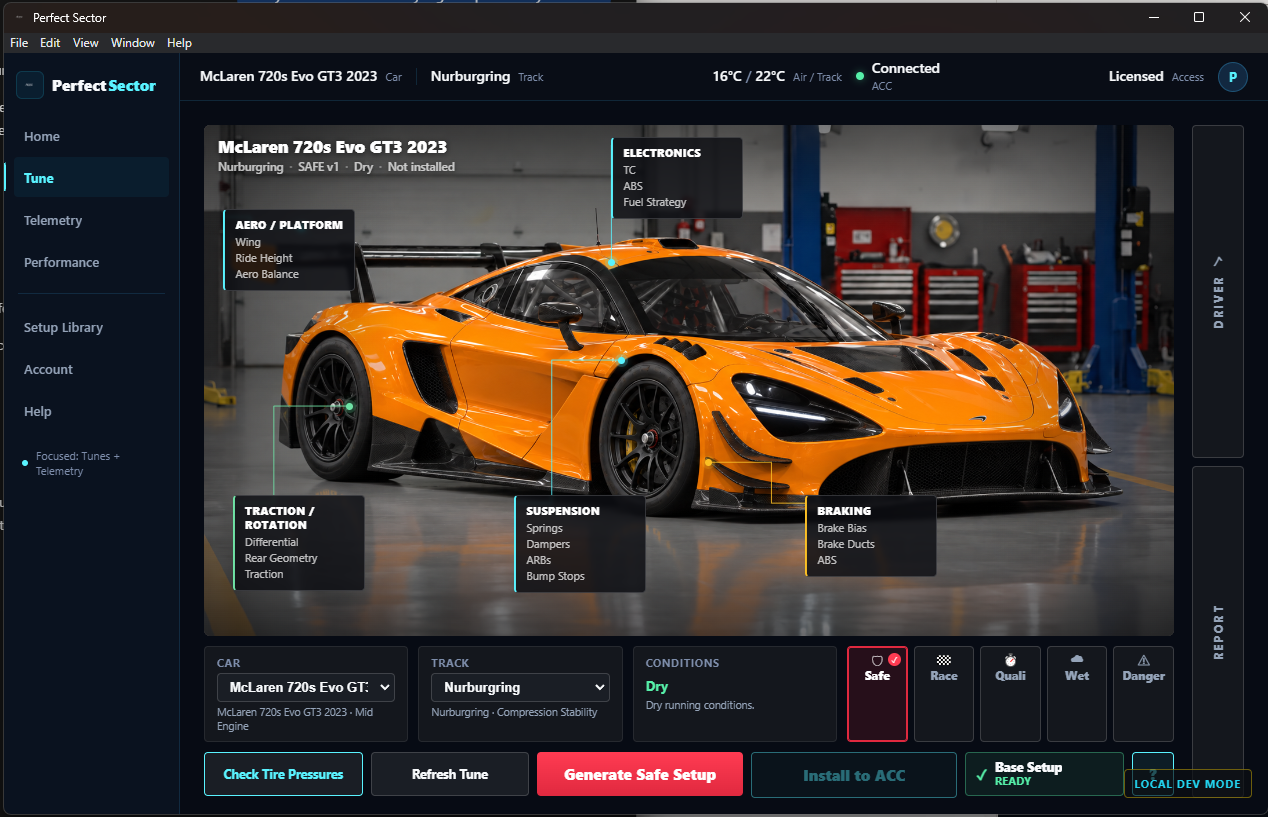
Product Design • UX • Desktop SoftwarePerfect Sector is a Windows desktop application built for sim racers who want useful performance and setup information without needing to become race engineers.
The Project
Role
UX / Product Designer & Developer
Platform
Windows Desktop
Product
Sim-Racing Performance Software
Responsibilities
- —Product Design
- —User Flows
- —Interface Architecture
- —Telemetry UI
- —Dashboard Design
- —Overlay/HUD Design
- —Setup & Tuning Workflows
- —Iterative Interface Design
Sim-racing telemetry and vehicle setup tools can expose drivers to large amounts of technical information. Perfect Sector was designed around a simpler question: how can that information be turned into something a driver can quickly understand and act on?
Core Driver Journey
The product connects setup creation, driving, telemetry, and setup refinement into one continuous workflow.
Three Core Areas
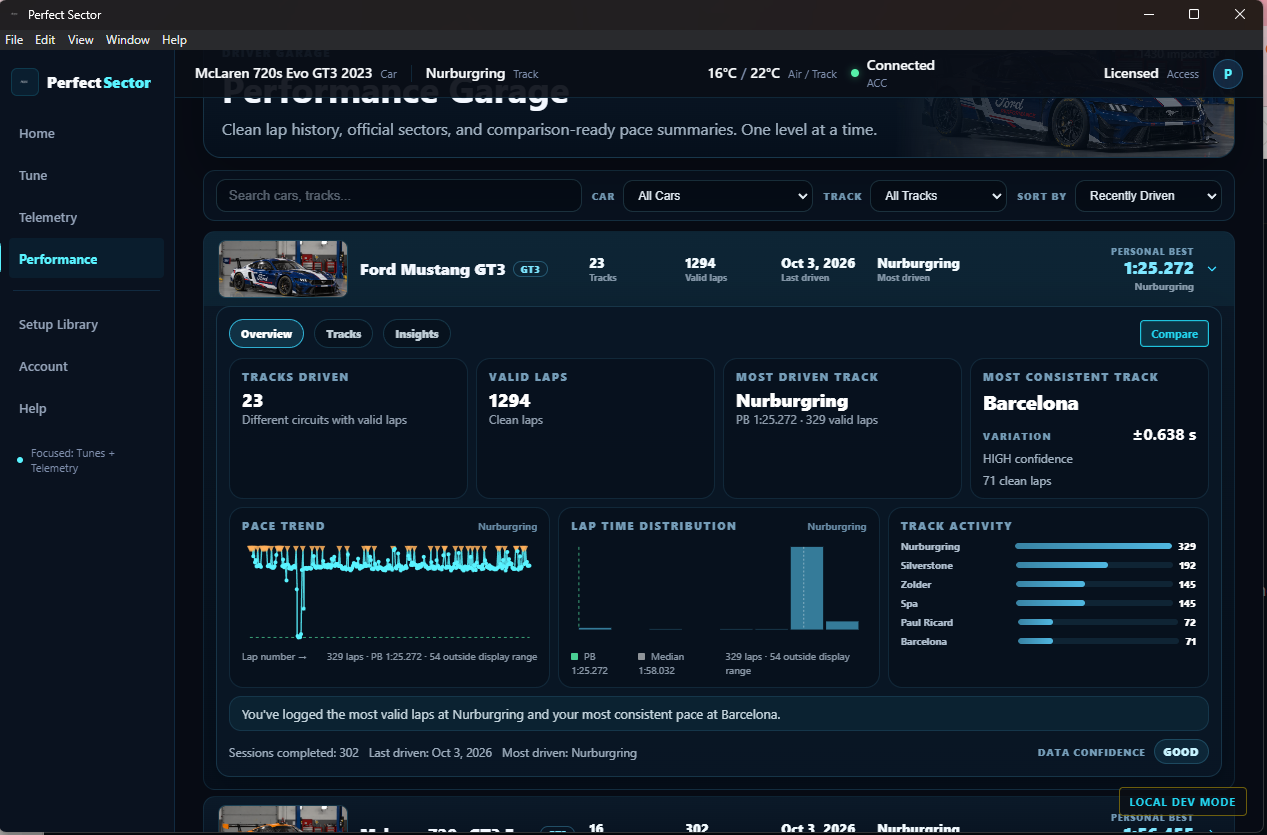
Telemetry & Live Data
Present useful driving information clearly without overwhelming the driver with raw telemetry.
Annotation
To be added.
Setup & Tuning Workflow
Guide drivers from selecting a car and track through generating, reviewing, applying, and refining a setup.
Annotation
To be added.
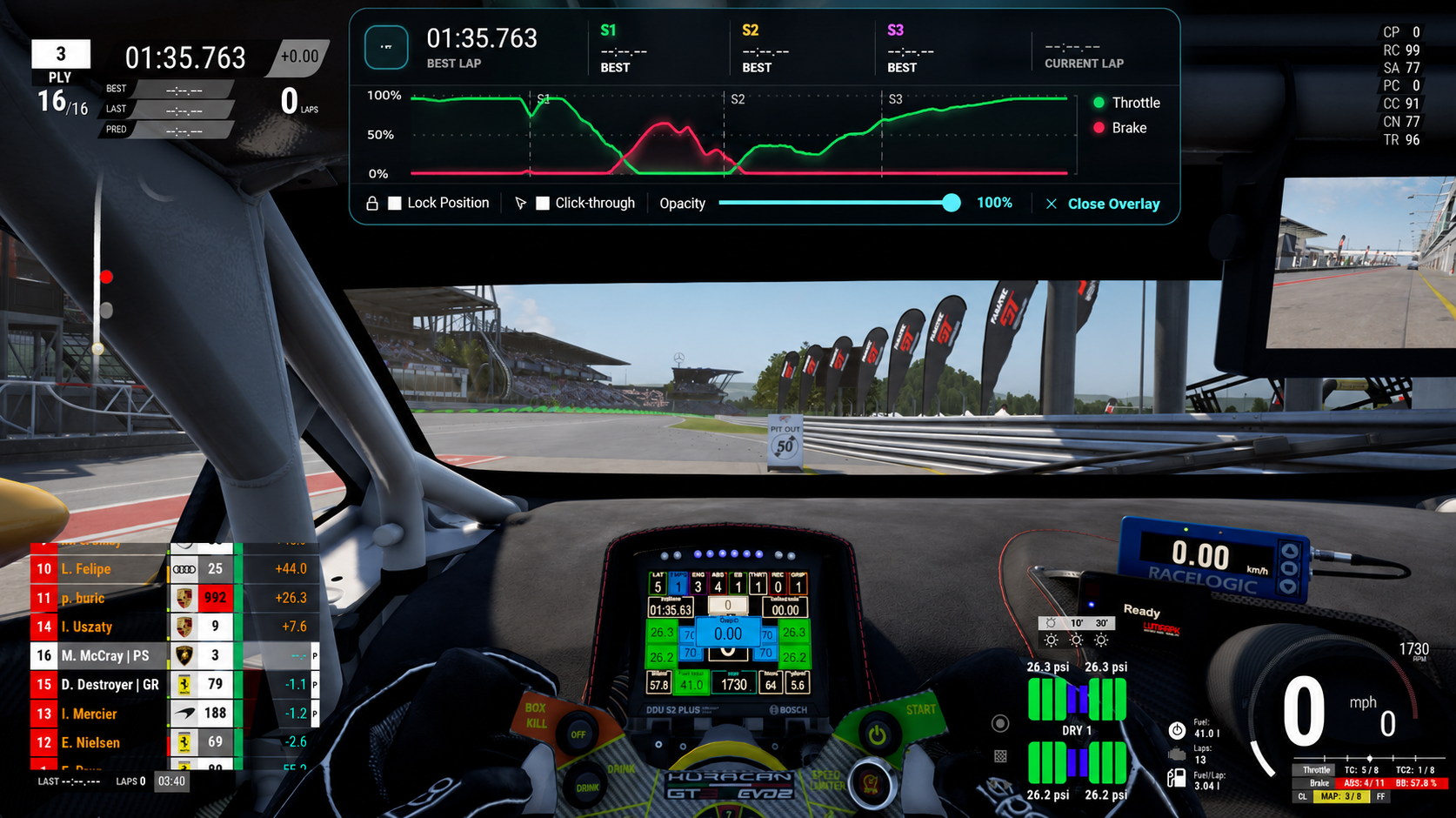
Driving Overlay / HUD
Surface useful information while driving while minimizing distraction and screen obstruction.
Annotation
To be added.
Designing Through Iteration
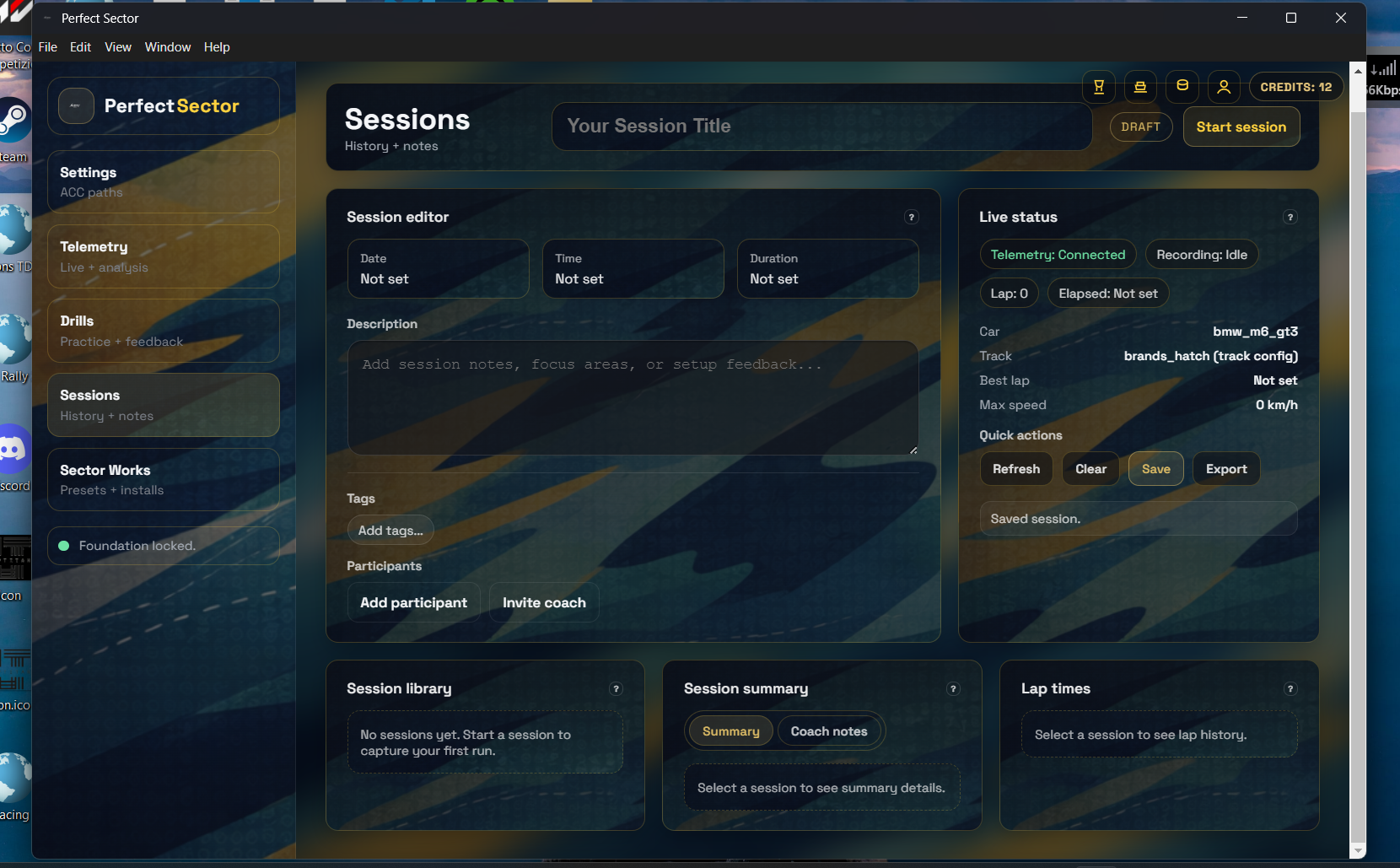
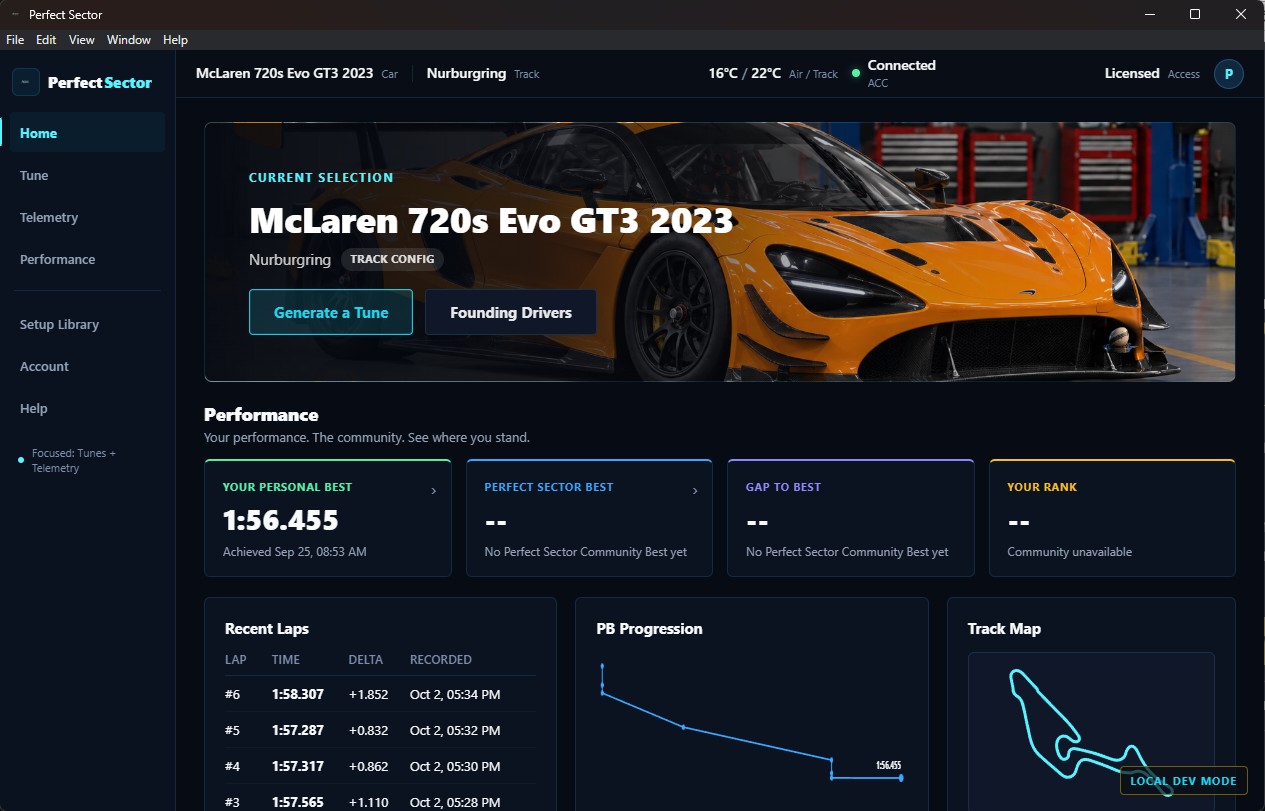
Problem
The original interface grew around individual features, creating a cluttered experience with weak visual hierarchy and no clear path through the product.
What Changed
I simplified the navigation, removed visual noise, established a consistent design system, and reorganized the experience around Home, Tune, Telemetry, and Performance.
Why It Changed
The redesign shifted the focus from exposing features to helping drivers quickly understand where they are, what matters, and what action to take next.
The Product
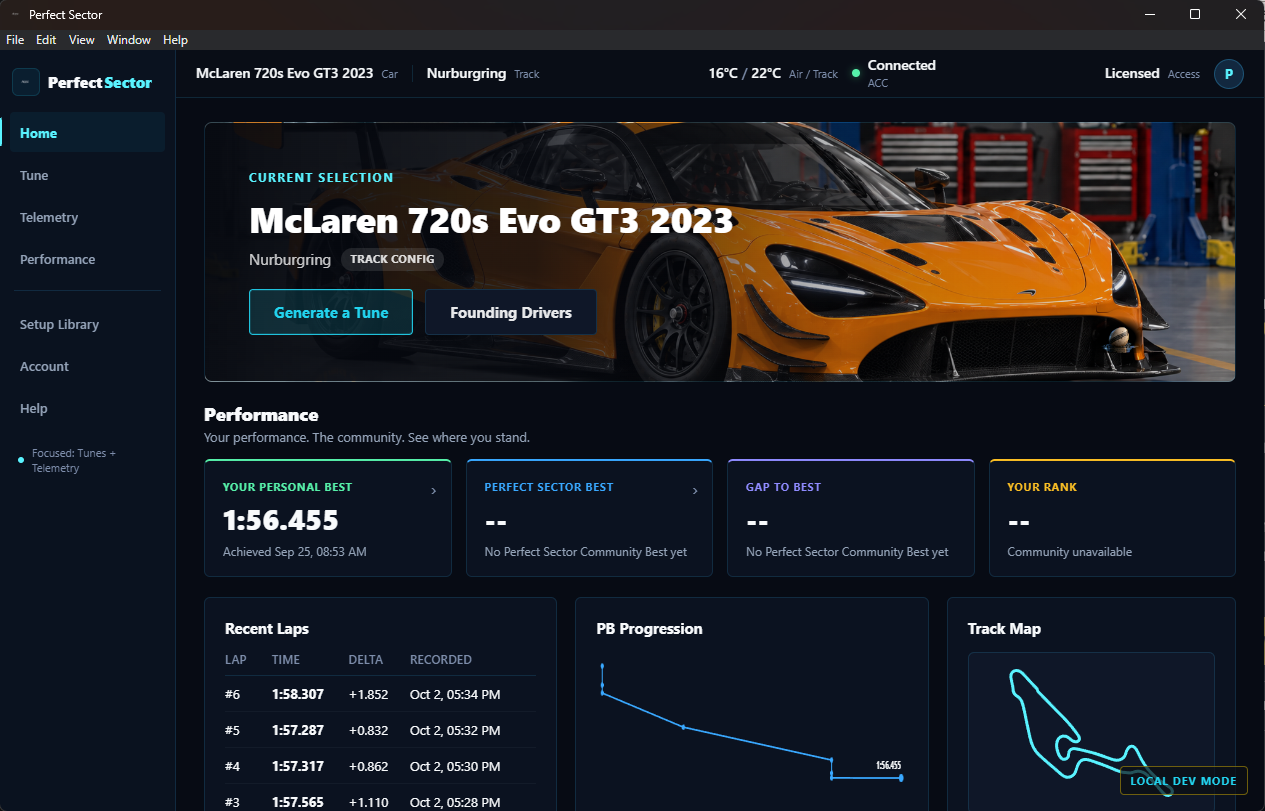
Home
Tune
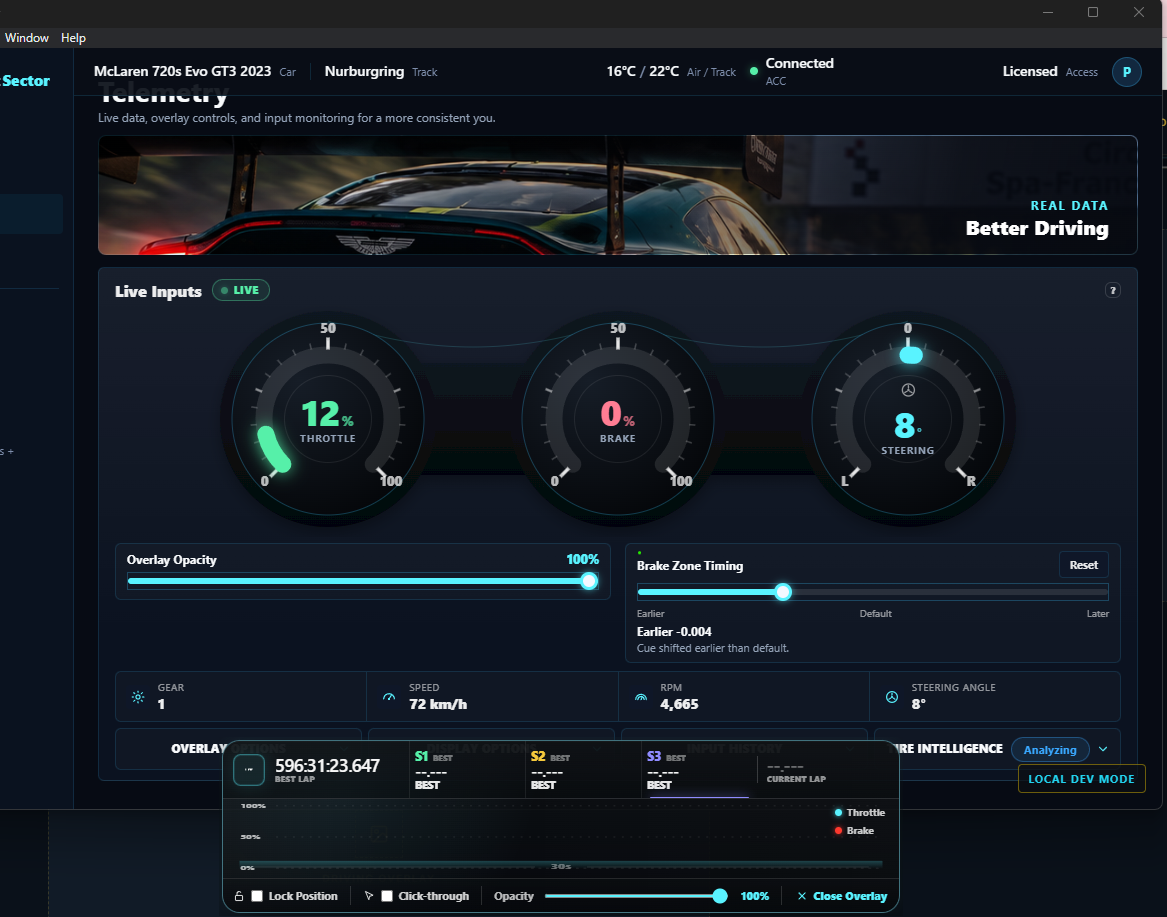
Telemetry
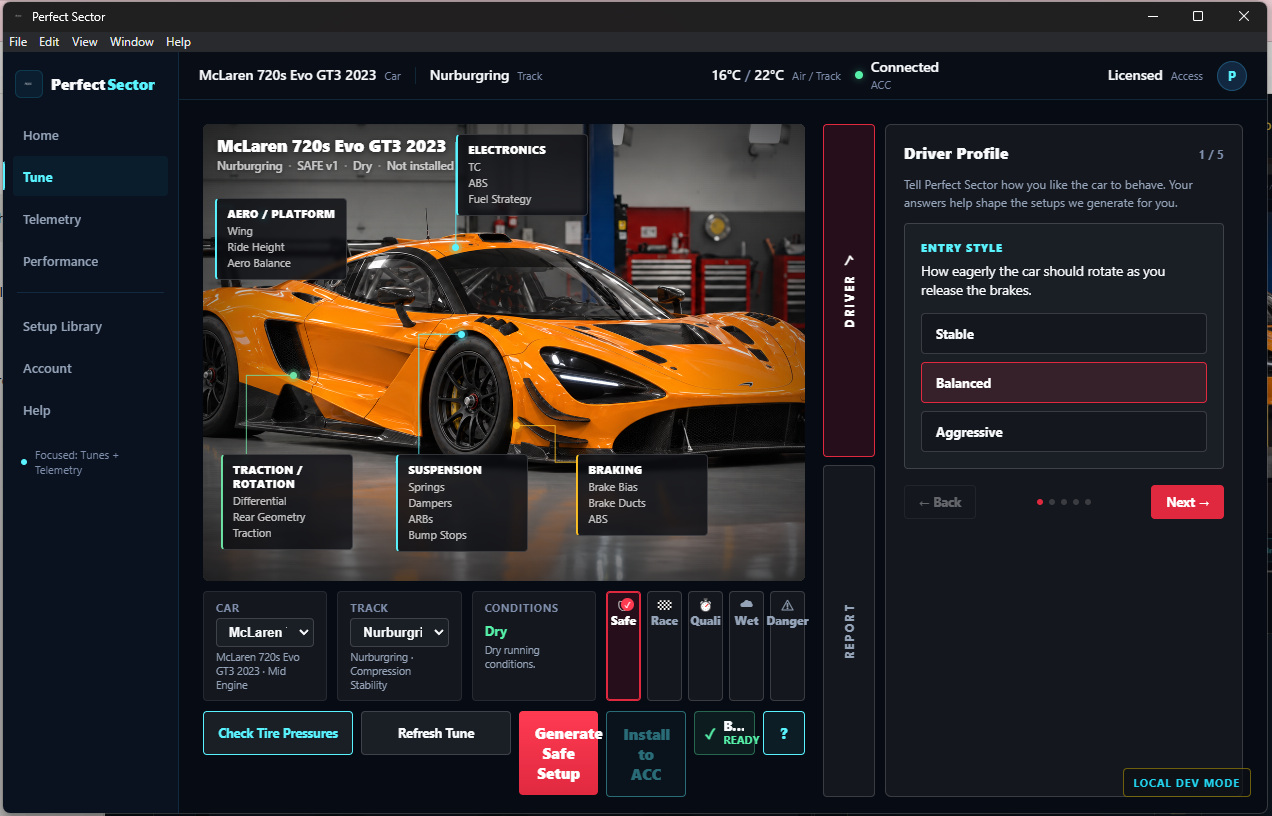
Driver Profile
Driving Overlay
Key Takeaways
Building Perfect Sector taught me that good product design isn't about adding more features. It's about making complex information easier to understand and act on. As the product evolved, I learned to simplify navigation, create stronger visual hierarchy, and design around the driver's workflow rather than the software's feature list.
The biggest lesson was to treat the interface as something that should evolve with the product. Testing Perfect Sector in real driving situations continually exposed friction, unclear interactions, and opportunities to simplify the experience, turning iteration into a core part of how I design.